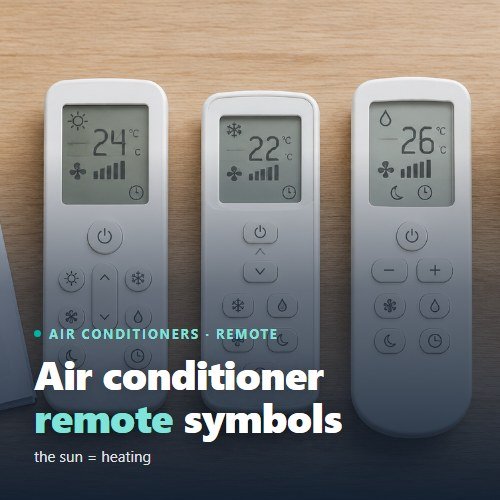
Short answer: the sun is heating (HEAT), the snowflake is cooling (COOL), the drop is dehumidifying (DRY), the fan is fan only (FAN), and AUTO or the letter A means the air conditioner chooses the mode itself. The moon is night mode, the clock is the timer, and the arrows next to the louvres are air swing. The other signs are extra functions and differ by brand.
Below are all the common symbols with an explanation of when to use them, the differences between brands and what the lights on the air conditioner itself mean.
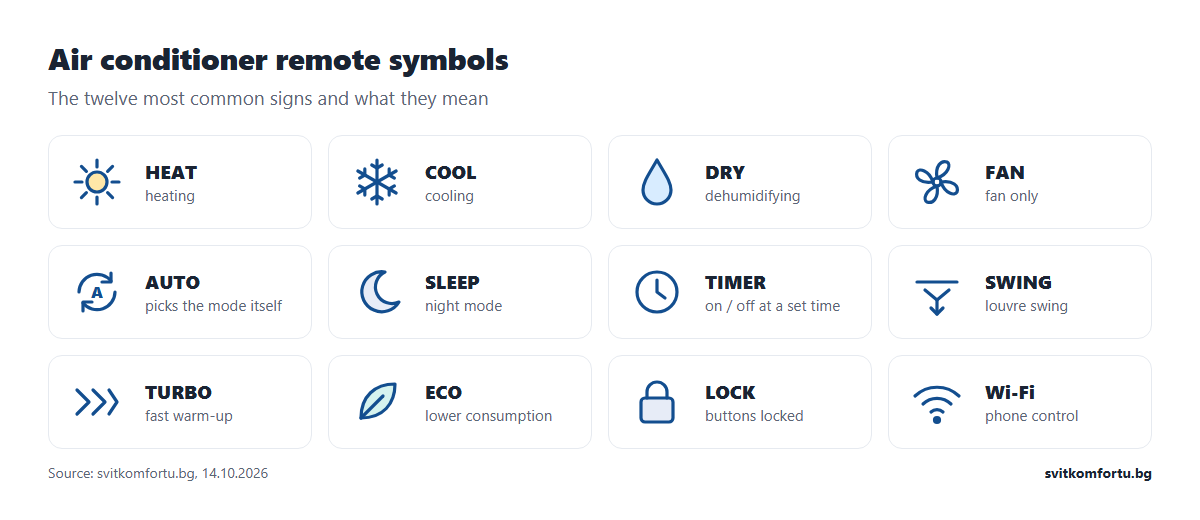
The five operating modes
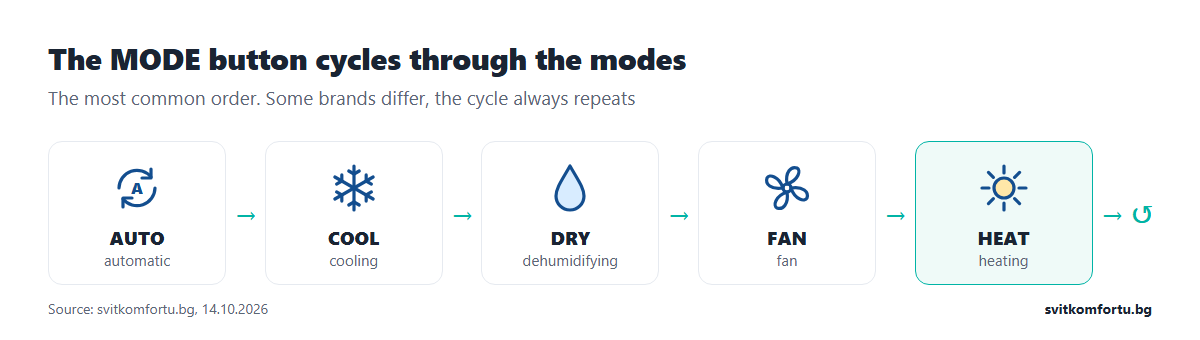
The mode is changed with the MODE button. Each press moves to the next one, and after the last the cycle starts again.
| Symbol | Label | What it does | When to use it |
|---|---|---|---|
| sun | HEAT | heats, taking heat from the outdoor air | from October to April |
| snowflake | COOL | cools and dries the air | in summer |
| drop | DRY | removes moisture with minimal cooling | humid in-between days, wet laundry in the room |
| fan | FAN | only moves the air, without cooling or warming it | to circulate the air |
| A or circular arrows | AUTO | chooses heating or cooling itself based on the room temperature | on autumn and spring days when the temperature changes |
The heating symbol and how not to confuse it
The heating symbol on an air conditioner is the sun. Sometimes it is stylised as a circle with rays, sometimes HEAT is written next to it. Two things are often confused with it:
- AUTO. In automatic mode the air conditioner can also heat, but it decides when by itself. If the room reaches 23 °C with 21 °C set, it will switch to cooling. In winter this is unnecessary, so select the sun directly.
- The sun in the clock. On some remotes there is a small sun or moon next to the time, which shows day or night for the timer. It is not a mode.
How to switch the air conditioner to heating step by step, what temperature to set and how much each degree costs is explained in our article on setting an air conditioner to heat.
Fan and louvres
| Symbol | Label | Meaning |
|---|---|---|
| fan with 1, 2 or 3 bars | FAN SPEED | fan speed: low, medium, high |
| fan with A | AUTO FAN | the air conditioner adjusts the speed itself |
| vertical arrows or louvres | SWING | swing up and down |
| horizontal arrows | SWING (left–right) | swing left and right, if the model has it |
| louvre with a fixed direction | VANE, FIX, DIRECTION | fixes the louvres in a chosen position |
A practical rule: louvres down for heating, horizontal or up for cooling. Warm air rises, cold air falls.
Function buttons and signs
| Symbol or label | What it does |
|---|---|
| moon, SLEEP | night mode: quiet fan and a gradual change of temperature by 1–2 degrees during the first hours |
| clock, TIMER ON / OFF | switches the air conditioner on or off at a set time |
| TURBO, POWERFUL, Hi POWER, JET | short boosted operation for fast heating or cooling |
| leaf, ECO, ECONO | limits consumption at the cost of reaching the temperature more slowly |
| QUIET, SILENCE | quiet operation of the indoor or outdoor unit |
| person or remote with waves, I FEEL | the temperature is measured by the sensor in the remote, not in the air conditioner |
| light bulb, LIGHT, DISPLAY | switches off the display and lights of the indoor unit |
| CLEAN, X-FAN, SELF CLEAN | dries the heat exchanger after cooling to prevent odour and mould |
| HEALTH, ION, PLASMA | ioniser or air purification, if the model has it |
| padlock, LOCK | locks the remote buttons, for example against children |
| waves, Wi-Fi | switches the wireless connection to the app on or off |
| °C / °F | changes the temperature scale |
| 8 °C or 10 °C HEAT | keeps a low temperature in an empty home so it does not cool down completely |
If the display suddenly shows °F and the temperature is 70, press the scale button (on some models this is a combination of two buttons). The air conditioner is not broken, it is simply showing degrees Fahrenheit.
Symbols by brand
The basic modes are the same for all manufacturers. The differences are in the names of the extra functions. The table shows the most common ones. They depend on the series, so for a specific model its manual is what counts.
| Brand | Typical buttons and signs |
|---|---|
| Gree | X-FAN (drying after cooling), I FEEL, TURBO, LIGHT, HEALTH on some models, 8 °C function in heating on some models |
| Daikin | POWERFUL (20 minutes of boosted operation), ECONO, COMFORT (air directed down in heating), OUTDOOR UNIT QUIET, INTELLIGENT EYE sensor on some series |
| Mitsubishi Electric | VANE and WIDE VANE for the louvres, ECONO COOL, i-see sensor on some series |
| Mitsubishi Heavy | HI POWER, ECONO, 3D AUTO (automatic airflow direction) |
| Toshiba | Hi POWER, ECO, FIX for fixing the louvres |
| Panasonic | POWERFUL, QUIET, nanoe for air purification on some series |
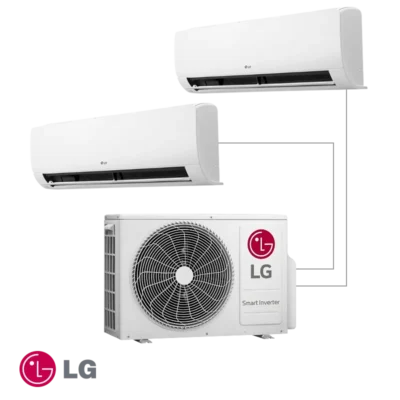
| LG | JET MODE for fast cooling or warm-up, control via the app on Wi-Fi models |
| Fujitsu | POWERFUL, ECONOMY, 10 °C HEAT on many models |
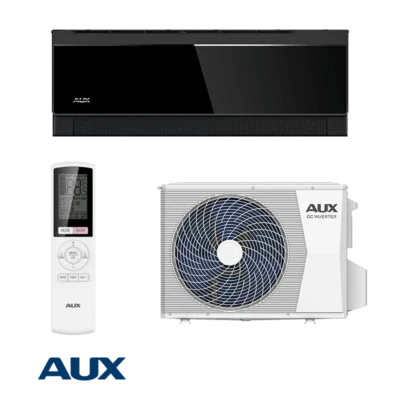
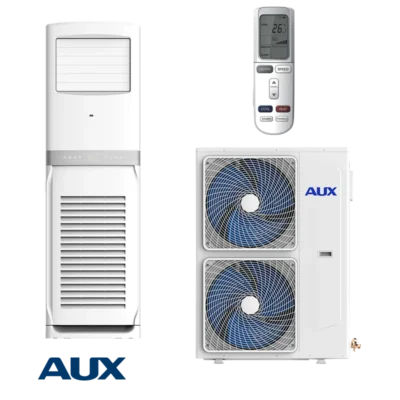
| AUX, Nippon, TechPoint, Kaisai | TURBO, SLEEP, I FEEL, ECO, LIGHT; the set depends on the series |
If you are not sure which brand your air conditioner is, look at the sticker on the side of the indoor unit. It shows the brand and model, which you can use to find the manual on the manufacturer’s website. A comparison of brands is in our article on air conditioner brands.
The lights on the indoor unit
The air conditioner’s display also talks. The meanings differ by brand, but a few are common:
- The operation light is on steadily: the air conditioner is switched on.
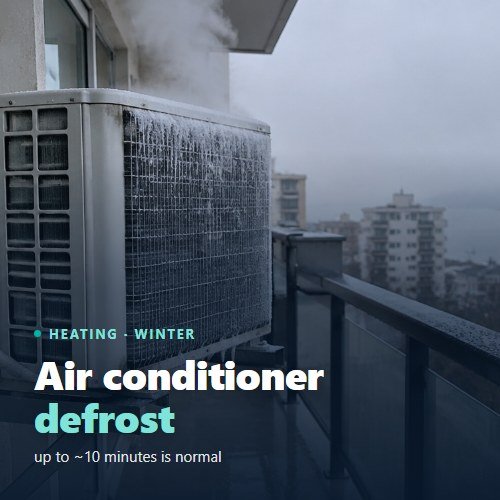
- It blinks with heating on, but there is no air: on many models this is the heat exchanger warming up or the outdoor unit defrosting. Wait up to 10 minutes. It is described in detail in our article on air conditioner defrost.
- A letter and a number on the display (for example E1, F3, H6): an error code. Write it down, disconnect the air conditioner from the power for a few minutes and switch it on again. If the code comes back, you need a technician.
- The timer light is on: a timer is set. If the air conditioner switches on or off by itself, check the timer first.
Error codes differ for each brand and series, so do not interpret them using tables from the internet for another model. For an error code see air conditioner repair in Varna.
Which buttons save electricity in winter
Most symbols on the remote are for convenience. A few, however, directly affect the bill when the air conditioner is heating:
- The temperature arrows. The most powerful button for saving. For a 25 m² room in Varna each degree above 21 °C adds about 5 € per season, the detailed calculation is in our article on setting an air conditioner to heat.
- TIMER ON. Switches the heating on shortly before you come home, instead of the air conditioner running all day in an empty room.
- SLEEP. Lowers the temperature by 1–2 degrees during the night without you waking up cold.
- ECO or ECONO. Limits the power. It is useful when the room is already warm. It does not help to warm up a cold room quickly.
- I FEEL. Measures the temperature where you sit. That way you do not need to raise the setting because it is warm under the ceiling and cool by the sofa.
The TURBO and POWERFUL buttons do the opposite: they give maximum power for a short time. They are handy for the first warm-up in the morning, but do not leave them on. To see how much an air conditioner uses at different capacities, read our article on how much electricity an air conditioner uses.
If the remote does not respond
- Replace the batteries. A faint or blinking display is the first sign. Use new batteries of the same type.
- Point it directly at the receiver of the indoor unit, usually next to the display. Obstacles such as a curtain or a cupboard block it.
- Check for a lock. If there is a padlock on the display, the buttons are locked. It is unlocked by holding a button or a combination, depending on the model.
- Switch on from the button on the unit. Most indoor units have a small emergency button under the cover. If the air conditioner starts from it, the problem is in the remote.
A lost or broken remote is replaced with an original one for the model or with a universal one. A universal remote covers the basic modes, but often not the brand-specific functions.
What to do now
Find the sun, set 21 °C and fan AUTO. If the air conditioner heats poorly despite the right setting, clean the filters first. If it has not been serviced for a year, servicing is the cheapest solution: for a standard wall-mounted air conditioner in Varna it costs 42 € with us, see air conditioner servicing. If you are looking for a new unit for heating, compare the models by SCOP in our article on air conditioners for heating.
Frequently asked questions
What does the sun on an air conditioner remote mean?
The sun is heating mode (HEAT). It is selected with the MODE button.
What is the cooling symbol on an air conditioner?
The snowflake, sometimes with the word COOL.
What does the drop on the remote mean?
The drop is DRY mode: the air conditioner removes moisture from the air with minimal cooling. It is not a heating mode.
What does the moon on the remote mean?
SLEEP night mode. The fan switches to a quiet speed, and the temperature changes gradually by 1–2 degrees during the first hours.
What does AUTO mean on an air conditioner?
The air conditioner chooses between heating and cooling itself based on the difference between the room temperature and the set temperature. In winter it is better to select heating directly.
What is I FEEL on the remote?
With I FEEL the temperature is measured by a sensor in the remote. That way the air conditioner keeps the temperature where you sit, not under the ceiling.
How do I switch off the air conditioner lights at night?
Look for a LIGHT or DISPLAY button or the light bulb icon. It switches off the display and lights of the indoor unit while the air conditioner keeps running. On some models the function is in the remote’s menu.
What does X-FAN on the remote mean?
X-FAN is a Gree function. After switching off from cooling or dehumidifying, the fan runs a little longer to dry the heat exchanger and prevent odour. It is not needed in heating.
Why does the display show 70 instead of 21?
The scale has been switched to degrees Fahrenheit. Switch back to °C with the scale button or with the combination given in the manual.